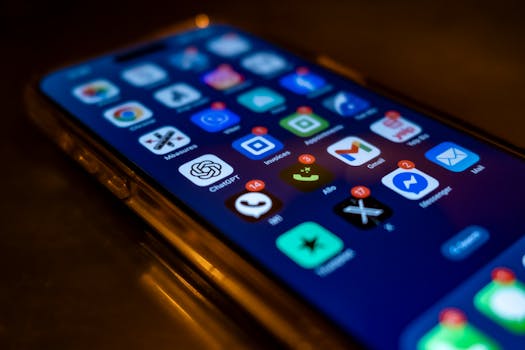
Pick up your phone and count the apps you used before breakfast. Chances are, each played a unique, surprising role—one nudged your routine, another delighted you. It’s no accident.
As mobile devices grow smarter, future mobile apps are quietly shaping new habits and expectations. What drives their appeal now goes far beyond novelty or instant gratification.
If you’ve ever wondered what actually makes an app feel “next generation,” this practical deep dive reveals how the best developers stand out in a crowded digital world.
Anticipation, Not Reaction: Apps That Act First
The difference between a good app and a great one often appears before you tap anything. Future mobile apps excel when they anticipate what users want before being asked.
Imagine waking up—the app already organized your calendar, checked traffic, and suggested a coffee order by your door. That’s anticipation in action, and it’s changing user expectations fast.
Smart Triggers: Setting Actions in Motion
Traditional apps wait for you. Next-generation tools notice context—location, time, even conversation—to kick off helpful processes automatically. For example, a calendar app suggesting an umbrella because it saw rain in your local forecast.
Try this at home: enable proactive alerts in a weather app and track which alerts truly help you act earlier in your day. Adjust for what’s genuinely useful, not just frequent.
Personalization as a Daily Habit
Instead of dozens of notifications, a future mobile app could send just one suggestion perfectly timed for your habits. Think of a meal tracking app that nudges only at typical snack-hour or a news app skipping mornings unless a trending local story breaks.
Small behavioral adjustments, like customizing alerts and watching which ones impact your actions, reveal what true anticipation feels like. It’s not about more—it’s about better timing.
| Feature | Traditional App | Next-Gen App | Takeaway |
|---|---|---|---|
| Notifications | Manual, frequent | Context-aware, timely | Enable smart alerts; reduce clutter |
| Onboarding | One-time setup | Continuous, adaptive | Revisit preferences monthly |
| Suggestions | Generic recommendations | Personalized based on use | Review suggested actions—keep what works |
| Automation | Manual triggers | Events-based, proactive | Try automation for daily tasks |
| Feedback | Requested surveys | Context-sensitive prompts | Give feedback in-app when prompted thoughtfully |
Simplicity Without Sacrifice: Clean Design, Real Impact
Simplicity in mobile apps isn’t just about fewer buttons. It’s about guiding users smoothly—making every tap and swipe feel almost inevitable, not forced.
Many first impressions break down at cluttered screens or hidden features. In standout apps, every element earns its place or vanishes quietly.
Zero-Overload Rule
An effective rule: if a feature slows users down or requires explanation, redesign or remove it. Watch a friend try your favorite app—notice where confusion sparkles up, even for a moment.
Run a quick experiment: disable half the interface elements in a test environment. Do the most important tasks still happen faster? If yes, keep it simpler next time.
- Cut non-essential menu items so key actions remain prominent; review analytics to prioritize features.
- Reduce color and font variations for cleaner navigation, encouraging users to focus on goals.
- Write shorter labels—ten words per instruction is often too long. Brevity speeds recognition.
- Give feedback (vibration, sound, animation) for each tap; this reassures rather than overwhelms.
The surprise often comes when less really does more—users remember experiences, not features.
Visual Routines and Their Benefits
Consistent visual cues help users develop routines. For example, a finance app with predictable color coding lets users check spendings in just a glance each morning.
Visual repetition anchors new habits—think of daily check-in streaks or color transitions for progress. Routines build loyalty and reduce mental load.
- Use recurring color signals for states or actions, so returning users instantly recognize them.
- Repeat button placement for core features in every update—consistency fosters trust and fast learning.
- Anchor daily routines with simple, visible rewards, like streak badges or visual goal tracking.
- Block distracting pop-ups, since they break the action; prioritize flow above all.
When visuals become habits, users return naturally even without reminders.
Context-Awareness: Responsive Apps for Every Environment
Some of the top future mobile apps adapt based on where you are, what you’re doing, or even who you’re near.
Compared to classic apps, new tools notice shifts—like changing to dark mode at bedtime or surfacing reminders only at your workplace.
Real-Time Sensing: A Better Morning Routine
Picture this: You wake up, unlock your phone, and the meditation app silences notifications while the weather app fades in white noise if rain’s forecast. Two apps, seamless context shifts.
Adapting settings based on sensor data—light, sound, location—lets apps fit into the actual pace of your day, not just default schedules.
Micro-Experiments: Small Tweaks, Big Gains
Try turning on adaptive brightness or time-based modes in your favorite apps for three days. Does morning feel gentler, less distracting, or more personalized?
If you notice even a single instance where the app feels “smarter,” make that change permanent. Context isn’t just a feature; it’s daily comfort.
Instant Feedback: Building Trust With Every Interaction
Every tap or swipe tells a story. When apps respond instantly—even with a small animation or sound—users feel both noticed and reassured.
Unlike static interfaces, dynamic feedback shows users what’s happening now, reducing uncertainty and mistakes with just a flicker or nudge.
Mistake-Proofing Common Actions
Ever deleted a photo by accident? Next-gen mobile apps add “undo” cues, gentle vibrations, or animated cards sliding back into place. Mistakes become recoverable, not frustrating.
Small, positive friction can build trust. Think about the one-second delay before confirming a purchase or asking “Are you sure?” for sensitive taps.
Feedback Loops That Encourage Learning
Not every notification needs to be loud or insistent. Calendar apps that light up with a subtle color when a new event is added teach users that the action registered.
Try enabling subtle soundscapes or micro-animations in one app this week. Does the feedback help you feel more in control?
Speed in Context: Instant Results and Minimal Wait
Today’s users measure quality by how quickly an app responds, but next-gen mobile apps also know when it’s worth making you wait. It’s a small but vital difference.
Quick-loading interfaces are essential, but meaningful delays—like animations cleverly disguising a sync—can increase user confidence and satisfaction.
Strategic Loading: Distraction Over Frustration
Consider a photo editing app: Instead of staring at a progress bar, users can adjust filters as images render, reducing wait frustration and increasing engagement.
Apply this: Notice which apps let you act while waiting versus those that freeze. Use multitask-friendly ones for time-sensitive routines like morning checklists.
Shortcuts and Preloading: Real Benefits
Take a note-taking app that preloads your preferred pages after you pause, shaving seconds off future searches. Even tiny time savings accumulate over weeks.
Add a time-tracking widget or pin a frequent action at your home screen. If it saves a few taps each day, that’s hundreds a year—notice the cumulative effect.
Human-Like Communication: Language That Connects
Apps aren’t people, but their language can shape how comfortable you feel. Next-generation interfaces ditch jargon for everyday words, quick insights, and warm prompts.
Compare a cold “error occurred” to a friendly “Looks like we hit a snag. Try again?” Users feel less blamed, more empowered to keep going.
Clear Prompts for Real Life
Replace technical terms with cues that reflect daily habits, like reminders to “Stretch for a minute” or nudge “Finish your coffee and schedule your day.”
Pay attention to how your favorite apps ‘talk’. If the tone feels like a helpful friend, you’ll notice quicker habits and less hesitation.
The Right Words at the Right Time
Imagine an app that knows when to introduce new features gently instead of overwhelming users after every update.
Whenever you see a new tool, check if the onboarding feels incremental and relevant. If it does, you’re likely using a future mobile app ahead of the curve.
Intentional Constraints: Thriving in Small Spaces
Real innovation often comes from embracing limits. By designing for small screens or spotty connections, some apps invent features worth keeping even when constraints disappear.
Consider budgeting apps that visualize money with simple graphics—adapted first for watch screens, now standard everywhere. Necessity breeds creative solutions.
- Focus on core functions—strip away all but essential features, so the app thrives in low-bandwidth or offline use.
- Favor one-tap solutions for complex tasks, increasing speed for on-the-go routines like grocery lists or transit tracking.
- Design gestures for cramped spaces—swipe, long-press, or drag to accomplish more with fewer options visible.
- Enable offline support, so apps still deliver value without a network—future mobile apps often start here, not as an afterthought.
- Test layouts on both large and small screens. If a UI struggles on the smallest device, revisit the structure to maintain simplicity everywhere.
Constraint-driven design isn’t a hindrance—it’s a powerful filter for genuine usefulness.
The Evolving Horizon: Where Future Mobile Apps Go Next
Looking ahead, tomorrow’s standout apps will learn, adapt, and respond—sometimes before you even realize what’s possible.
You’ll likely see more context-driven features, especially as AI and sensor data become invisible helpers, smoothing every interaction and suggestion. The competition will reward creativity, not just technical muscle.
For anyone building or choosing new tools, watch for the emerging habits they support: less friction, smarter nudges, subtle feedback. The future mobile apps that matter most will feel like invisible extensions of your routines.