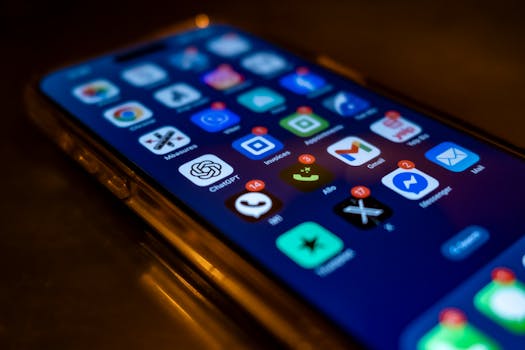
If you’ve ever waited an extra minute for an app to load or seen a phone struggle just to open a game, you’ll recognize both the frustration and that little victory when lightweight apps work immediately.
Across cities, small towns, villages, and busy commutes, phones are everywhere. Still, not every phone is built for speed or storage, especially in emerging markets where affordable devices and slow networks are the norm.
This article takes you inside lightweight apps: what they are, why users love them, and what choices you can make to get more from your device. Let’s see what makes smaller apps a big deal.
Smart Space: Why Smaller Apps Win Room for Everything Else
Saving room on your device means you won’t have to decide between family photos and a useful tool. When lightweight apps take less space, that limits annoying trade-offs.
In markets where 16 or 32GB phones stay common, every megabyte counts. Using lightweight apps is like packing a suitcase: The less space each thing takes, the more you can bring along.
Avoiding the “Storage Full” Shuffle
It’s a situation familiar to many: Your phone flashes a low-storage warning, often at the worst time. You start deleting old messages or photos, hoping to open up enough space.
Lightweight apps keep this rush of frustration away by using only what they need. With them, you’re less likely to scramble when you want to capture a new moment.
One Download, Many Devices
Picture a family sharing three different phones—an old budget Android, a mid-range device, and a newer model. Only the kids get the fast one with more space.
When an app is lightweight, it’s accessible and runs well across every phone in the family. No one’s left out just because of storage limits.
Next time you pick an app, ask yourself: Will this let everyone in my household use it comfortably?
| App Type | Average Install Size | Typical Storage Needed | Takeaway |
|---|---|---|---|
| Standard Version | 80–200MB | Up to 2GB (w/ cache) | Use if phone has lots of free space |
| Lightweight Version | 2–20MB | 20–200MB | Ideal for legacy and budget devices |
| Progressive Web App | Minimal (browser-based) | Varies (site data) | Try if you rarely use app features |
| Offline-First App | Varies | Small for core tasks | Choose where internet is unreliable |
| Native Game | 100MB+ | Up to 5GB | Download only when space isn’t an issue |
Data Efficiency: Getting More From Every Megabyte
For most lightweight apps, smaller downloads aren’t just about saving storage—they also trim how much mobile data you use. In areas with high data costs, this is a daily concern.
Downloading a single large app can take a huge bite out of a monthly data allowance on a prepaid plan. Opting for lighter versions stretches every gigabyte further.
Limit Big Downloads: Upgrade Wisely
Consider whether every update brings something genuinely useful. Sometimes, developers add features that require more bandwidth but aren’t essential for your needs.
Stick with core updates and lightweight apps unless a new feature is truly necessary for your routine.
- Install only the versions you actually plan to use, as background updates can cause surprise data drains over time.
- Uninstall or disable heavy apps you rarely open, as these may pull data for updates even when ignored.
- Favor apps with explicit “lite” or “Go” branding, which are usually tested for minimal data and storage use.
- Take advantage of manual update settings—review what’s new before hitting “update” to avoid bloated codes.
- Watch for background sync options; disabling unnecessary syncs in settings gives you control over mobile data flow.
Cutting app size isn’t just about install time; it controls the ongoing data costs of keeping apps up-to-date.
Check Permissions and Background Activity
Some lightweight apps build in controls, letting you turn off heavy background syncing and updates.
Checking the app settings page for data-saving toggles keeps you from using more mobile data than intended.
- Switch off unnecessary location or media sync—maps, messengers, and social tools often have these extra syncs enabled by default.
- Use built-in data saver modes before using apps on mobile data, as they automatically block non-essential downloads.
- Test “Work Offline” or “Data Saver” options for your favorite apps—open the settings page and explore the choices.
- Ask friends which lightweight apps get the job done without eating into their data plans. Local tips often catch hidden gems.
- Tweak start-up permissions so unused apps don’t boot up or refresh in the background when you don’t need them.
Choosing the right combination of lightweight apps and careful settings lets you stretch your megabytes way further every month.
Pace of Use: When Speed Makes All the Difference
No one enjoys tapping an icon and waiting seconds, or even minutes, for something to happen. Lightweight apps can transform this moment entirely.
Speed isn’t just technical—it’s about feeling confident that your phone can keep up, no matter where you are or what device you have.
Quick Scenario—Fast Access Matters
Picture someone waiting for a train with spotty service. She needs maps, messages, and a payment app to work instantly.
With lightweight apps, she’s not stuck staring at a spinning wheel. Each tool opens, works offline, and closes without delay.
Delay Adds Up: Why App Load Time Counts
If it takes ten seconds for a chat app to open, users in a hurry may miss sending urgent updates. Quick opens mean fewer missed chances.
Tracking which apps feel slow on your device can be an eye-opener. Try deleting the worst offenders and switching to lightweight versions for a week.
Beyond Phones: When Lightweight Apps Bridge Gaps
People share devices and internet connections at home, in shops, or community centers. Lightweight apps help create equal access, even without the latest gear.
A single phone may get handed from child to parent to grandparent. Making sure tools run on any model means everyone can participate.
Micro-Checklist for Shared Devices
If your family uses one device for multiple tasks, check these steps:
- Stick with apps that promise smaller downloads and fewer resource demands to serve everyone fairly on any phone.
- Test messaging, payment, and learning apps with every household member to ensure comfort and ease of use.
- Avoid apps needing constant logins—seek those with guest or switch-user modes for fast switching.
- Delete unused heavy apps, so new users have as much space available as possible.
- Explore automatically synchronizing contacts or settings, so setup is simple each time the phone changes hands.
A little curation can turn a shared device into a true community tool instead of a bottleneck.
Mini Story—Grandparent With a Budget Phone
After a cousin installs a lightweight chat app, Grandpa can participate in family video calls for the first time. The small app fits, runs, and keeps him included.
The right choice means everyone’s connected, not just those with expensive or new phones.
Feature Focus: Less Clutter, More Functionality
Full-featured isn’t always better. Many lightweight apps skip the bloat, giving you a streamlined experience focused on just what works best.
The main benefit? You’re less likely to get lost in an endless sea of tabs and notifications.
Rule—Prioritize Essentials for Everyday Tasks
Apps trimmed to focus on basics—chatting, phoning, even booking rides—let users access what matters fast.
Whenever you download something new, look for designs that keep controls simple. You’ll save time spent hunting for buried options.
Principle—Opt for Predictable, Reliable Workflows
Lightweight apps often favor simplicity, which gives you more predictability. Instead of needing guides, most people feel comfortable jumping right in—no learning curve.
That’s a big deal when helping less tech-savvy relatives or friends get set up and confident.
Updates That Actually Help: Maintenance Without Headaches
No one enjoys regular phone alerts urging you to update apps, sometimes many at a time. Smaller apps update quickly and pose less risk of breaking things when they do.
Frequent, lightweight updates mean fixes and security improvements arrive sooner and download smoothly, even on slow networks.
Check for Streamlined Update Settings
Smart users limit auto-updates, reviewing changes before agreeing to download larger files.
Through app stores or settings, it’s easy to opt-in to updates only when on WiFi or to pause updates that require big downloads.
Micro Scenario—A Community’s Whole App Collection
A neighborhood with shared WiFi limits and slow connections can still keep every phone safe and current. Lightweight apps update overnight, so everyone wakes up ready to go.
As a bonus, quick-to-update apps avoid the common issue of losing critical features to “feature bloat” over time. Everyone wins when updates feel manageable and painless.
What to Try Next: Small Steps for Big Gains
The lightweight app movement isn’t just about technical specs. It’s about finding freedom within your phone’s limits—getting the most from what you already own.
Here’s a simple routine to help you get started:
- Scan your most-used apps and search for “lite” versions in your app store to reclaim space and speed.
- Set your app updates to “manual only.” This puts you firmly in control of what goes onto your device.
- Ask friends or local groups which lightweight apps work best for daily must-haves—often local favorites aren’t the first that pop up in store results.
- Build weekly habits: delete apps you haven’t opened in a month to keep your phone fresh.
- Keep an eye on storage and data usage each week, and check for any heavy apps that have crept back in.
Every phone, no matter how old, can feel brand new taller when it’s running quickly and smoothly.
Final Thoughts: Building Better Digital Habits with Lightweight Apps
We’ve seen how lightweight apps make your daily tech life smoother, speedier, and more affordable—especially where devices or networks pose practical limits.
Saving space, stretching data, and simplifying updates all add up. They’re not just technical wins, but practical ways to stay connected and productive using the tools you already own.
Try swapping out one heavy app today for its lighter version. Notice the difference—and decide if that smaller, smarter choice fits your digital routine at home, at work, or out in your community.